
GCP’s customer-friendly pricing allows businesses to pay as you go, without termination fees, and no upfront costs.
Google Cloud Free Program
- New customers are given $300 free Cloud Billing credits valid for 90 days to explore and evaluate the Google Cloud Platform.
- Free Tier Limits are also available for all GCP customers on selected Google Cloud services – like GCE, GCS, and BigQuery. The free tier limit does not expire but is subject to change.
- You won’t be charged until you choose to upgrade your account from a free trial to a paid account through the GCP Console.
Cloud Billing Account
- In GCP, a project is linked to a Cloud Billing Account that enables customers to:
- connect a Payments Profile that includes a payment instrument to which costs are charged.
- pay for resource usage.
- A Cloud Billing Account can be linked to one or multiple projects.
- You can manage your Cloud Billing accounts using the Cloud Console.
- Cloud Billing accounts cannot be deleted.
- In case you close your Cloud Billing account, the Cloud Billing account information is retained for reporting and auditing purposes.
Pricing Factors
There are three basic pricing factors that influence your costs which are:
- Compute
- Storage
- Egress traffic
Pricing Innovations
Here are some pricing innovations introduced by GCP.
- Sustained-use Discounts
- Automatically get up to a 30% worth of discount on workloads that run for a significant portion of the billing month on Compute Engine and Cloud SQL.
- Preemptible instances
- Run instances at a lower price point than normal instances. Perfect for fault-tolerant applications that can withstand possible instance preemptions, which can help you save up to 79% on your costs significantly.
- Custom Machine Types
- Customize the type of CPU and memory you use for your instances and save up to 48% compared to fixed machine types from other clouds.
- Committed-use Discounts
- This pricing is ideal for workloads with predictable resource needs.
- When you purchase a committed use contract, you purchase a compute resource at a discounted price in return for committing to paying for those resources for 1 year or 3 years. Savings can be up to 57% without upfront cost or instance-type lock-in.
- Per-second billing
- Pay for services by the second with minimum consumption of one minute.
- Archival Storages
- Archival storage with the speed of disk at the cost of tape. Archival storages are ideal for data that you plan to be kept entirely for backup or archiving purposes.
- Rightsizing recommendations
- Compute Engine monitors the CPU and memory utilization for running VMs and automatically creates a rightsizing recommendation using the last 8 days of data.
- Unfortunately, sizing recommendations are currently not yet available for instances created using App Engine flexible environment, Dataflow, or GKE, or even for GCE instances with ephemeral disks, GPUs, or TPUs.
GCP Marketplace Pricing Model
The following are the pricing models when provisioning a solution from the GCP Marketplace:
- Free
- Customers only pay for the Google Cloud resources that they use, like the cost of running VM instances.
- Bring your own license (BYOL)
- Customers pay directly for the solution itself and are billed separately for the resources provisioned.
- Usage-based pricing
- Customers pay for software based on metrics that you choose.
- There are two pricing models for usage-based pricing namely:
- Fixed Pricing – charged based on the length of time the solution is used, in increments of minutes.
- Resource-based pricing – charged based on the number of vCPUs, size of the system’s memory, number of GPUs, or a combination of these options.
Pricing Calculator
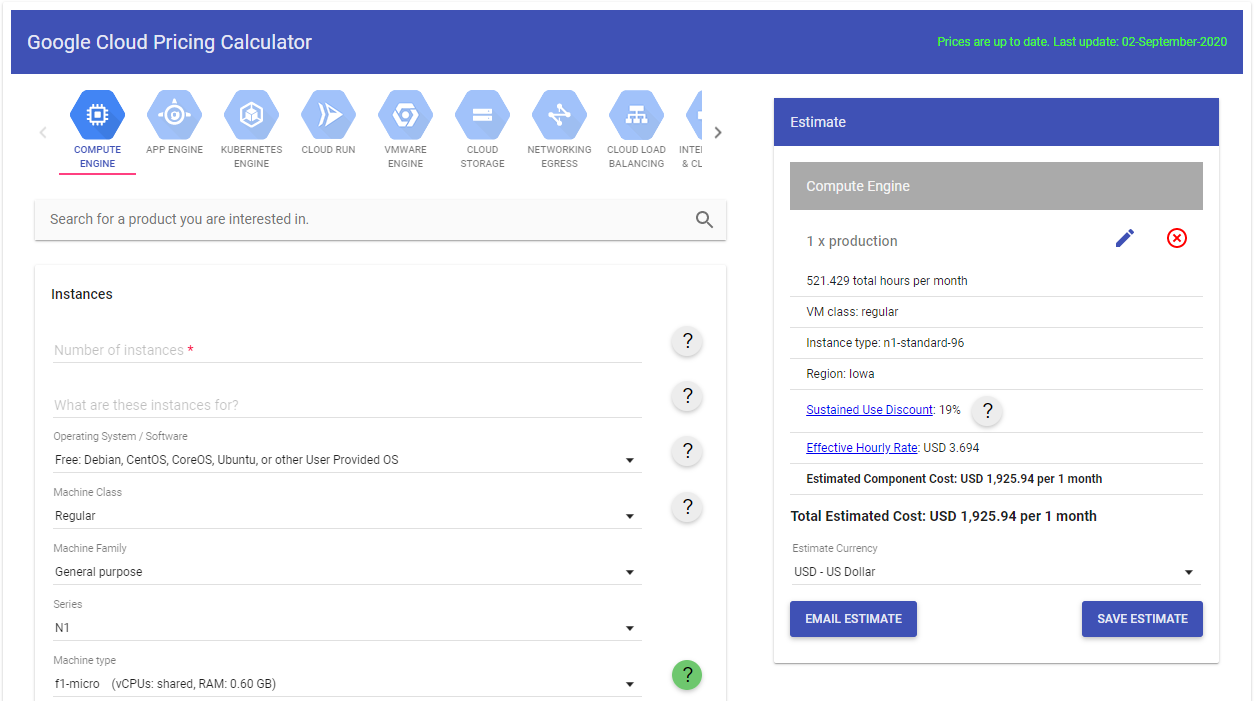
You can estimate your cloud computing costs using the GCP Pricing Calculator.
Comments
Post a Comment